
Arrival and pickup
Check a child in, and check them out against the adult who collected them. At most one open session per child per day, and a retry never opens a second one.
This page is the whole list. If something is not on it, CubbyLoop does not do it yet — and the things we have deliberately not built are named on where the product is, not quietly left out.
Everything below runs in the app today. What a center still cannot do is start on its own: there is no sign-up screen yet, so the way in is to tell us about your center.
Arrival, what happened in between, and pickup — recorded by the people who were in the room.
Check a child in, and check them out against the adult who collected them. At most one open session per child per day, and a retry never opens a second one.
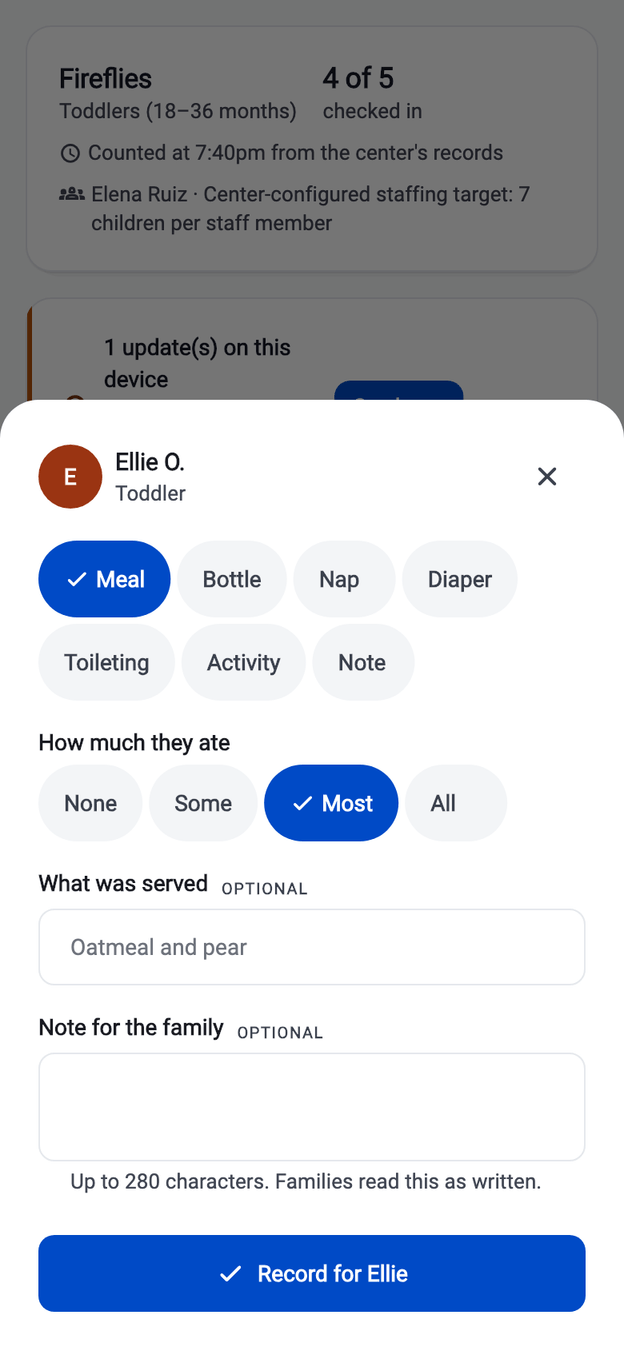
Meals, bottles, naps, diapers, toileting, activities and a short note. Each type has its own closed set of fields, so a meal cannot be saved as a shapeless blob of text.
A parent sees their own linked children and that day's updates. They cannot reach a classmate, another family, a roster or a staff directory — and that is proven by tests, not by hiding a button.
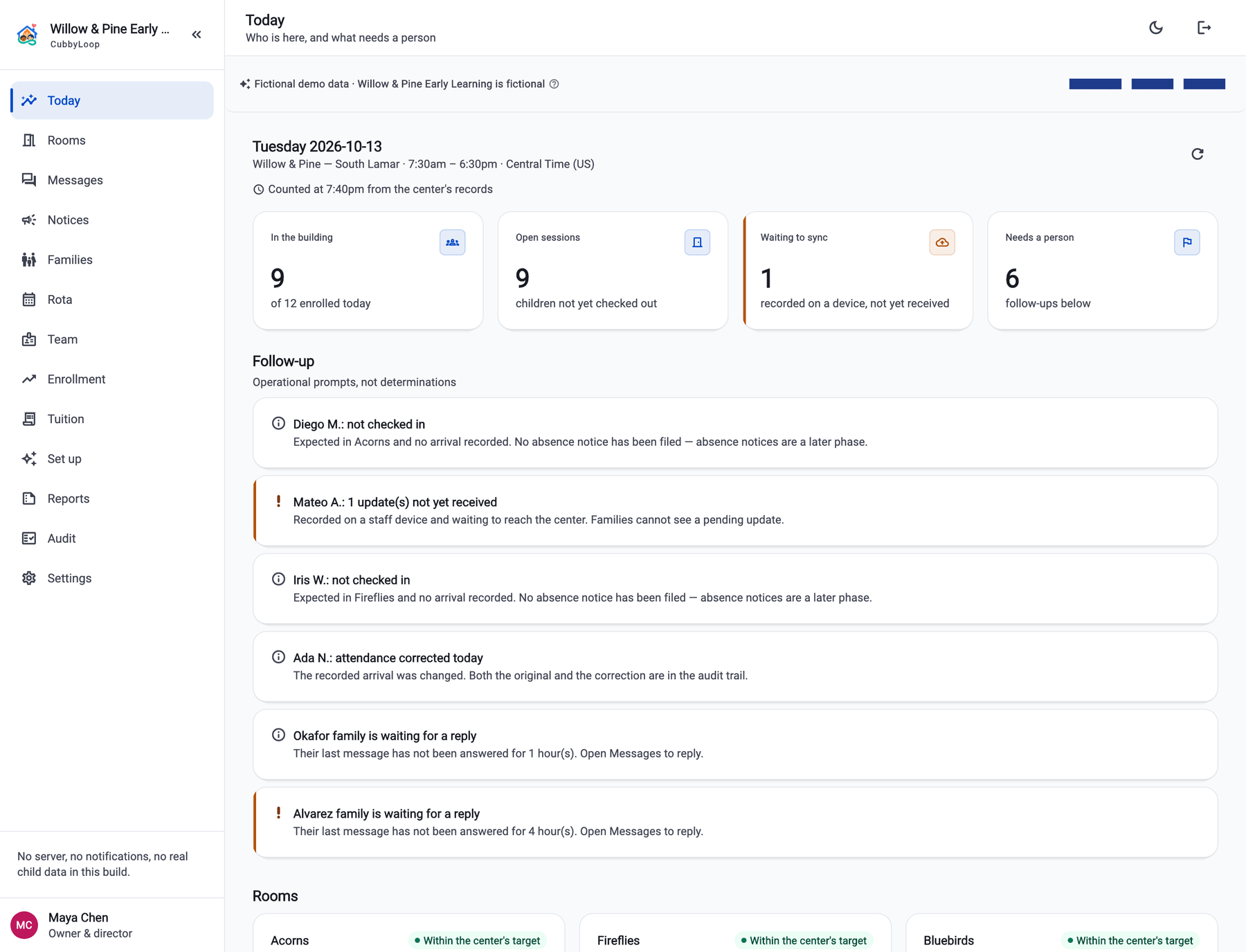
In the building, open sessions, updates still waiting to sync, and what needs a person — counted from the records, with the time it was counted printed next to it.
Who is responsible for which room, which family a child belongs to, and who is allowed to see any of it.
A teacher sees the rooms they are assigned to and nothing else. Remove the assignment and the access goes with it. A suspended membership authorizes nothing at all.
A family link is created only by accepting a one-time invitation, never by editing a field. Invitations expire, can be revoked, and a replayed acceptance is safe.
Families, enrollment, classroom transitions and authorized pickups. The roster a phone reads never carries a date of birth; that lives in a separate restricted record.
What makes the day readable afterwards: corrections that keep the original, an honest sync state, and a trail.
An arrival recorded against the wrong twin is corrected with a reason. The correction references the original rather than overwriting it, so the day still reads honestly a month later.
An update recorded with no signal says "saved on this device — not yet received by the center", and the family does not see it until it arrives. Nothing pending is ever called saved.
Service dates and day boundaries are computed in the center's time zone, including daylight saving, so an evening pickup lands on the right day.
Guardian linking, scope changes, attendance corrections and checkouts are recorded with the reason and the role — and without a child's name in the stored detail.
Loading, first-use empty, filter-empty, offline, pending, denied, error-with-retry and suspended. Every data-bearing screen is tested in all of them.
A room's board on a teacher's phone, and the center's board on the director's desk. Everything else is in service of these two being right. The guided demo walks between them in nine steps.
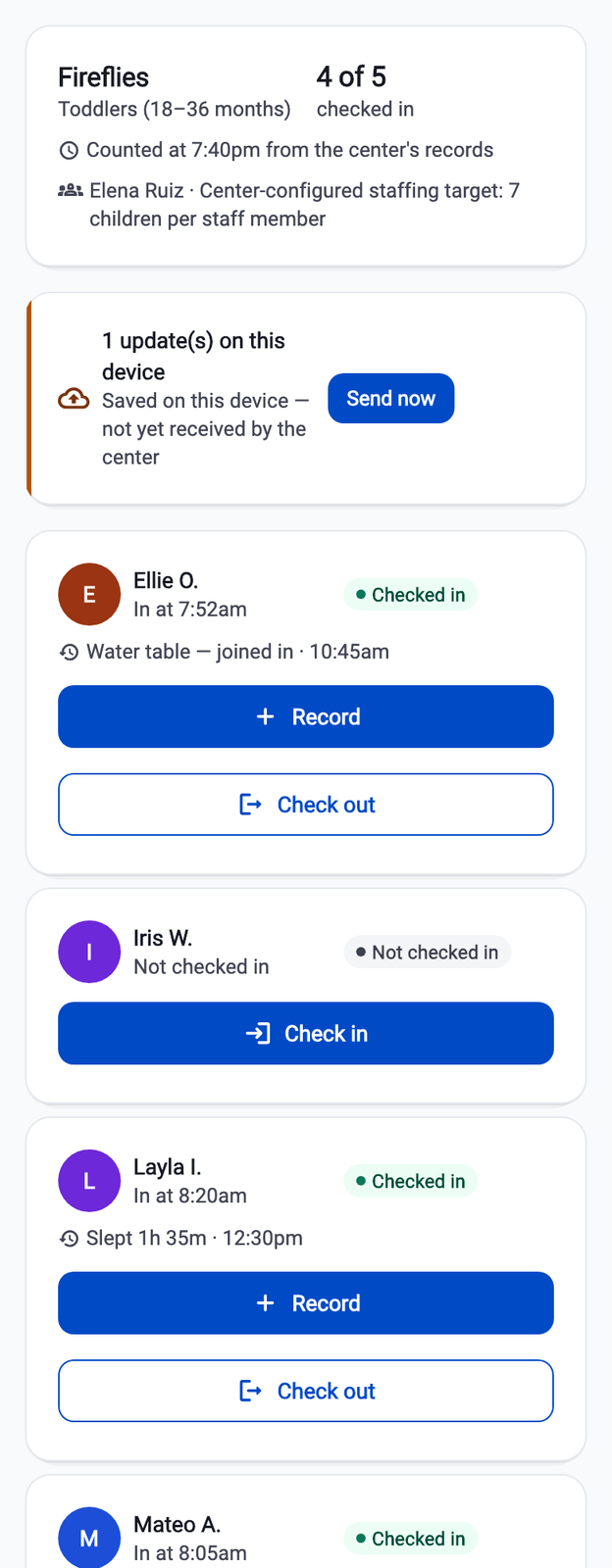
Most of the trouble in software like this comes from a word doing more work than the record behind it. These are the ones we hold the line on, in the app and on this site.
Checkout records which authorized adult the center released a child to. CubbyLoop did not check anybody's identity — the staff member standing there did, and the product says so on the screen.
Room staffing is measured against a number the center configured itself. Licensing requirements differ by state and territory, and CubbyLoop does not determine them or certify anything about them.
An update recorded without a signal is shown as saved on that device and not yet received by the center. The family does not see it until it arrives, and the board counts it as waiting.
Every count carries the moment it was counted. A board that has lost its connection says when it was last updated instead of presenting a stale number as the current one.
CubbyLoop is being built for independent centers of roughly 20 to 100 children at one location. If that is you, we would rather hear what your day actually looks like than guess at it.
Writing to us starts an email to support@cubbyloop.com. There is no form on this site and nothing is collected by this page.