
The loop
CubbyLoop is one short cycle repeated every operating day. It is deliberately small: a center can run it from the first morning without importing anything, and without switching off whatever it already uses for enrollment paperwork or payroll.
- Arrival
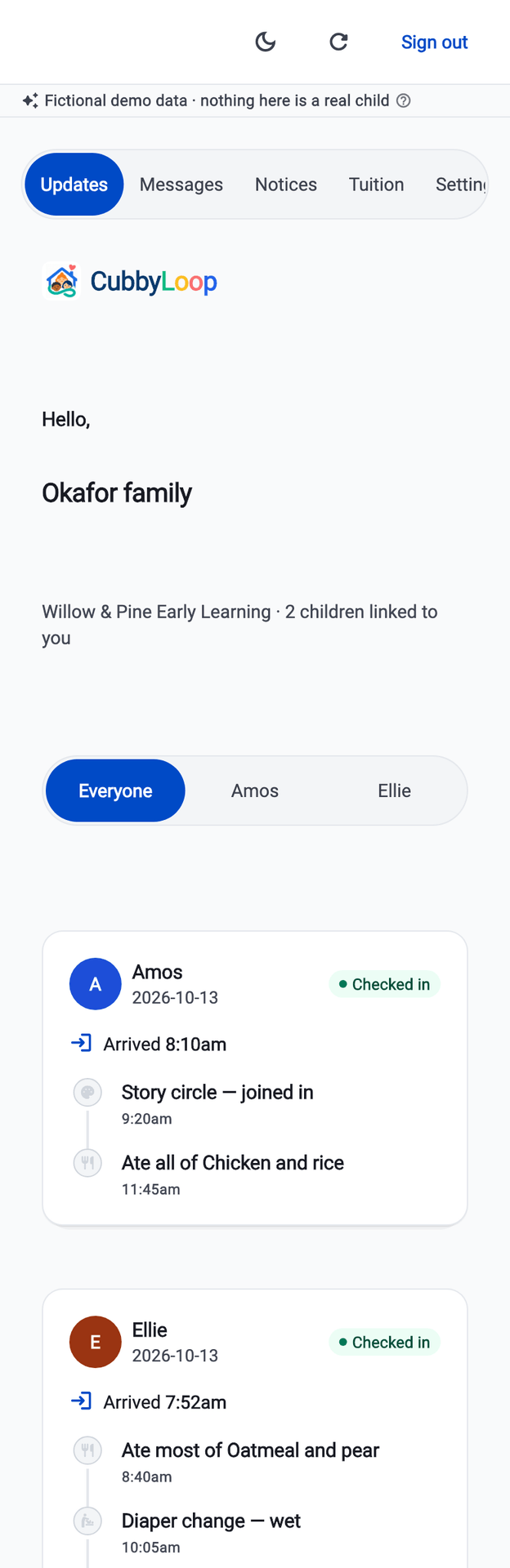
A child is checked in
Staff check a child in from the room's board. The session is open; the board and the director's count move with it. A second tap on a flaky connection does not create a second arrival.
- The day
Updates are recorded as they happen
A teacher records a meal, a nap, a diaper change or an activity in a few taps, on a phone, while still watching the room. Each type asks only for what that type needs.
- The loop
The right family sees it
The update appears in that family's feed, grouped by child and by day — and nowhere else. A guardian linked to a different family sees none of it.
- Pickup
Checked out, against a named adult
Checkout records which authorized adult collected the child. CubbyLoop records the release; the center still performs its own identity check in person.
- Afterwards
The day can be read back honestly
Corrections keep the original. The audit trail holds the linking, the scope change, the correction and the checkout, with reasons — and without a child's name in the stored detail.
Two families, two completely different views
The loop is only worth anything if the last step is reliable. A guardian is linked to exactly one family, through an invitation they accepted — not through a field anyone can edit. Sign in as a second guardian and the first family is simply not there.
- A parent sees their own linked children and nothing else
- No classmate list, no other guardians, no staff directory, no roster
- A teacher sees assigned rooms only; removing the assignment removes the access
- A suspended or revoked membership authorizes nothing at all
This is not a hidden button. The boundary is held by the center's own records on the server, and the suite that guards it spends most of its time trying to break in from the wrong family and the wrong classroom. Where the product is sets out what has and has not been proven, in detail.
What adopting it would look like
One classroom, one family, one child, one invited parent. The target is a center running a real morning inside ten minutes, with nothing imported and nothing migrated. The guided demo walks this same loop in nine steps.
That is the design goal the product is built around, and it is how the demo is shaped. It is not a measured result from live centers, because there are none yet — and we are not going to print a number we have not measured.
You cannot create a center on your own today — the sign-up screen and password reset are the last pieces, and they are not finished. If you want to be among the first centers on it when sign-up opens, tell us about your center. The detail of what is and is not finished is on one page.
Tell us about your center
CubbyLoop is being built for independent centers of roughly 20 to 100 children at one location. If that is you, we would rather hear what your day actually looks like than guess at it.
Writing to us starts an email to support@cubbyloop.com. There is no form on this site and nothing is collected by this page.